22 Paper Textures Backgrounds
Elevate Your Creative Work with Realistic Paper Textures
Designers and creators across industries are always on the lookout for tools that add authenticity and depth to their work. The 22 Paper Textures Backgrounds collection offers a practical solution for those wanting to infuse their digital or print projects with a tactile, handmade aesthetic. Whether you're designing a logo, crafting a social media post, or preparing print materials, these textures bring a level of richness that clean digital surfaces often lack.
What Makes This Collection Stand Out
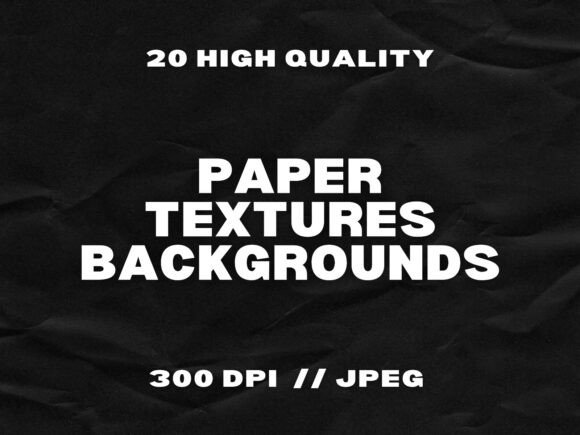
Each of the 22 textures included in the set has been carefully selected to offer a broad yet cohesive range of visual styles. From crumpled and aged paper to smooth handmade sheets, this variety ensures that you’ll find the right texture for any design context. All files are delivered as high-resolution JPGs at 300 DPI, making them suitable for both digital and print use without compromising on quality.
- Vintage parchment for historical or rustic themes
- Crumpled paper for a casual, organic look
- Handmade paper for a crafty, artisan feel
- Smooth and textured white papers for subtle background enhancement
This diversity makes the 22 Paper Textures Backgrounds set more than just a decorative tool—it’s a versatile design resource that adapts to your creative needs.
Practical Uses Across Creative Fields
The beauty of these paper textures lies in their flexibility. Here’s how different users can integrate them into their workflow:
Graphic Designers and Branding Professionals
Texture plays a key role in brand identity, especially for businesses aiming for a handcrafted or heritage feel. These paper textures can be layered under logos, used in stationery mockups, or incorporated into website backgrounds to add warmth and depth. For example, a café or artisanal brand could use a vintage parchment texture behind its menu or packaging design to evoke a sense of tradition.
Print and Stationery Designers
Whether you're designing wedding invitations, greeting cards, or flyers, paper texture can make your work feel more tangible. Using one of the aged or handmade textures from the 22 Paper Textures Backgrounds set as a base layer adds a tactile dimension that mimics real paper, even in digital mockups.
Scrapbookers and Digital Artists
For hobbyists and scrapbookers, these textures provide an easy way to enhance digital layouts. You can layer them under photos, behind text elements, or as borders to create a cohesive, organic feel. Digital artists can blend them into mixed-media collages or use them as subtle background tones that add interest without overwhelming the composition.
Social Media Creators and Marketers
Visual consistency is key in social media branding. These paper textures work well as background layers for Instagram posts, Pinterest graphics, or blog headers. A crumpled texture, for instance, can give a “notebook” or “handwritten” vibe to a quote post, while a smooth paper background keeps things clean and professional for business announcements.
Why These Textures Work Well in Digital Workflows
One of the standout features of the 22 Paper Textures Backgrounds collection is its compatibility with major design platforms. Whether you're using Photoshop, Canva, Procreate, or Illustrator, these JPG files integrate seamlessly. No need to wrestle with file conversions or compatibility issues—just drag, drop, and adjust.
Because they’re delivered as high-resolution, 300 DPI images, you can scale them without losing clarity. This makes them suitable for everything from small digital graphics to large-format prints like posters or banners.
Instant Access for Immediate Use
Time is often a critical factor in creative projects. That’s why the 22 Paper Textures Backgrounds come with an instant digital download option. No waiting for shipping or installation—just download, organize, and start using. This is especially useful for freelancers or entrepreneurs who need to meet tight deadlines without sacrificing quality.
Design Tips for Using Paper Textures Effectively
While these textures are easy to use, a few design considerations can help you maximize their impact:
- Use blending modes: In Photoshop or similar tools, try overlay, soft light, or multiply blending modes to subtly integrate textures without overpowering other elements.
- Adjust opacity: Lowering the opacity of a texture layer helps maintain legibility while still adding visual depth.
- Match the mood: A crumpled texture might work for a casual brand, but not for a luxury logo. Choose textures that align with the tone of your project.
- Combine with other elements: Pair textures with fonts, colors, and icons that complement the tactile feel—think hand-drawn illustrations or serif typography for a vintage layout.
Real-World Examples of Effective Texture Use
Let’s look at a few real-world applications where the 22 Paper Textures Backgrounds can make a difference:
- Wedding invitations: A soft handmade paper texture layered behind elegant calligraphy fonts gives a romantic, personalized feel.
- Educational infographics: Adding a subtle parchment texture to a history lesson infographic can make it feel more engaging and immersive.
- Blog headers: A vintage paper background with faded edges gives a blog post a timeless look, especially for lifestyle or craft-related topics.
- Product mockups: When presenting packaging or print designs, a realistic paper texture helps simulate the final product’s physical appearance.
Final Thoughts
The 22 Paper Textures Backgrounds collection is more than just a set of images—it’s a design toolkit that brings depth, authenticity, and versatility to your creative work. Whether you're a professional designer looking for high-quality assets or a hobbyist wanting to enhance your personal projects, these textures offer a practical and visually compelling solution.
With instant access, high resolution, and a wide range of styles, this set is a valuable addition to any creative library. Use it to elevate your designs, communicate more effectively, and create work that stands out in both digital and print formats.